The designer draws at the size it prints
Baselumen’s designer works on artboards measured in millimetres, with bleed, a millimetre grid and rulers, then pushes the finished artwork into a Terminal site’s assets.
 The Baselumen team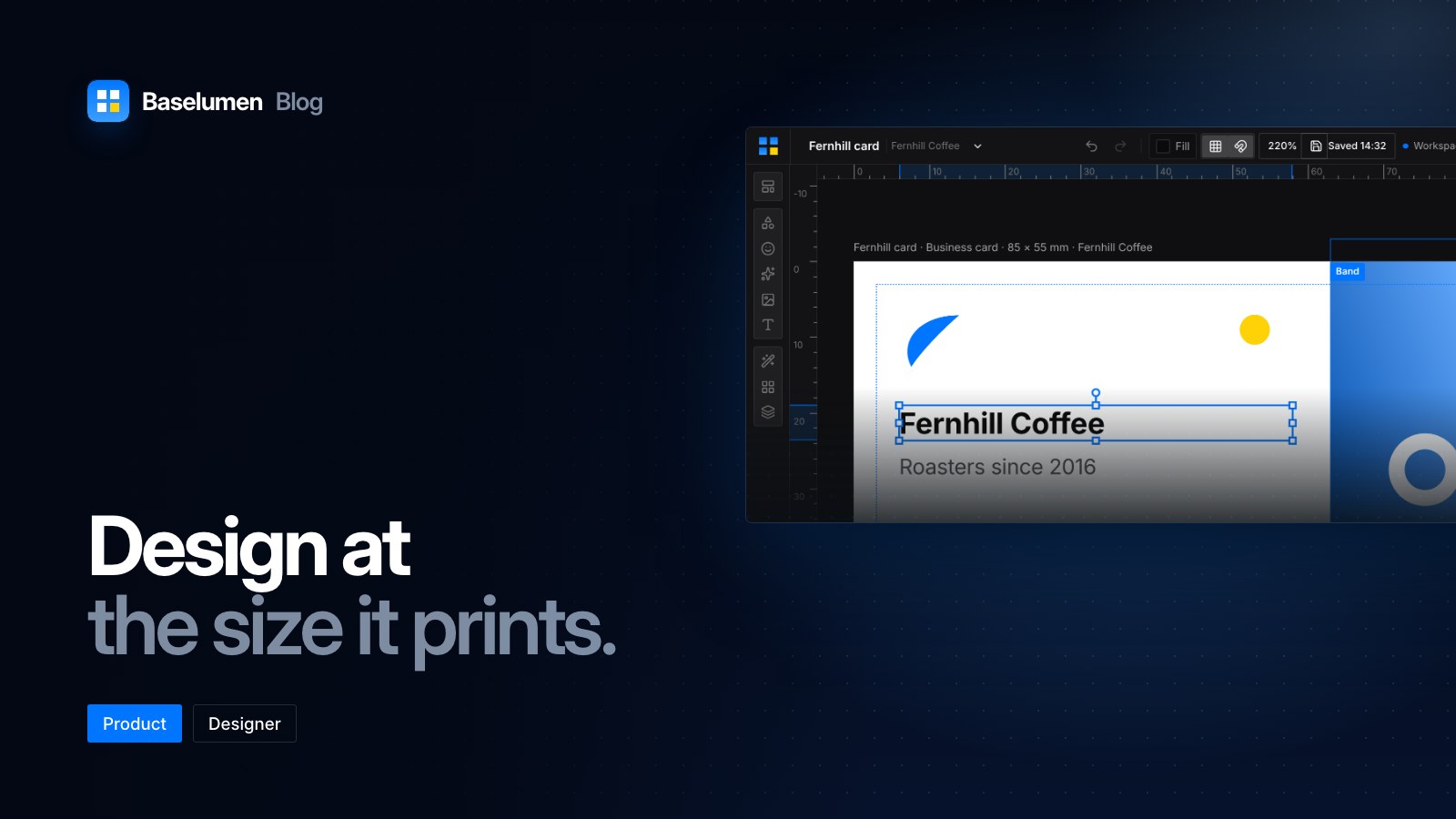
On this page
Baselumen's designer is for the artwork a brand needs off the screen as well as on it: business cards, letterheads, logos, postcards and social images. It draws on artboards measured in millimetres, so what you edit is what the printer receives.
Real sizes, with bleed
Each sheet is drawn at its trim size, and every coordinate in a design is its printed position. Zoom changes how big the sheet looks, never the numbers.
The presets come with each printer's bleed:
- Logo, square (100 × 100 mm) or horizontal (200 × 60 mm)
- Business card at 85 × 55 mm, 3.5 × 2 in or 65 × 65 mm
- Postcard at A6, flyer at A5 and document at A4
- Social at 1080 × 1080 px
A European card is 85 × 55 mm and a US card 3.5 × 2 in, and they are not interchangeable, so both are there. Bleed is drawn as a dashed trim line over the art: anything outside it is what the guillotine takes. Logos start on a transparent sheet with no bleed; cards and print start on paper.
A grid in millimetres
The grid has 5 mm cells with a 1 mm minor grid, and snap is on by default, so snapped edges land on whole millimetres. The rulers count millimetres from the sheet's corner, and guides pulled off a ruler are stored in millimetres too.
Shapes, paths and type
The designer has the vector tools you would expect, with a few that matter most for logos:
- Combine. Select two shapes and unite, subtract, intersect or exclude them, on the keys 1 to 4. The result is one path, and one undo brings the originals back.
- Paths. Convert to path, outline a stroke, offset by millimetres, simplify, join, average and reverse.
- Masks. Compound paths, and clipping masks made from any rectangle, ellipse or path.
- A right-click menu lists only what the selection can take.
Filed by client, pushed to Terminal
Every design your workspace makes is kept under Design → Designs, filed by the client it was made for, with search and sorting. When a piece is finished, Push sends it to a Terminal site's assets, ready to place on a page.
Where to find it
- The designer opens from Design in Baselumen. baselumen.com/design walks through it screen by screen.
- Agents can list, open, create, edit and push designs over MCP.