A new look for Baselumen
Baselumen has a new look: a two-level sidebar, a bar that searches everything, and an Overview that shows what your library did this month. It is on for everyone today.
 The Baselumen team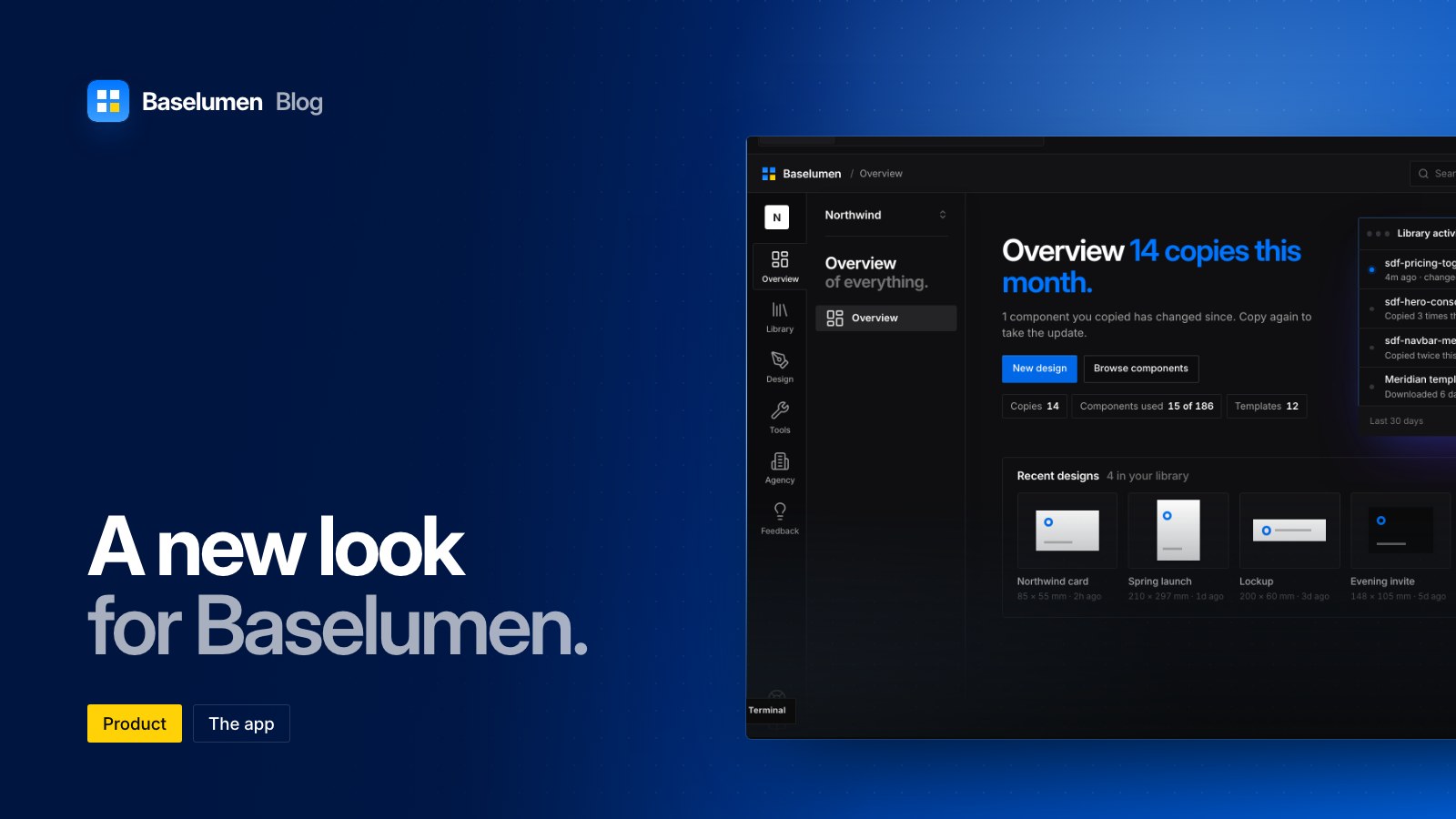
On this page
Baselumen has a new look, and it is on for everyone who signs in from today. It is the same look Stacklumen's Hub and Terminal took on today, so moving between the two apps no longer feels like changing tools. The designer keeps its own look.
A sidebar in two levels
Down the left is a strip of areas: Overview, Library, Design, Tools, Agency and Feedback. Beside it, a panel lists the pages of the area you are in, with your workspace and its plan at the head. Help, the docs, the keyboard shortcuts, the collapse control and your account sit at the foot of the strip.
An area with one page opens it straight away. An area with several shows its pages in the panel without leaving the page you are on. Your own pages (Profile, Account, Agents & API keys and Settings) have a place in the panel too, under Account.
On a screen between 1024 and 1279px wide the panel is put away to give the page room. Choose an area and it opens beside the page, which narrows to fit, and the collapse control puts it away again. Baselumen remembers your choice.
A bar that searches everything
The bar across the top shows where you are, as area and page, and Search or jump to… opens with ⌘K (Ctrl+K on Windows). Press / to search, or G then O, C, D or T to jump to an area. Press ? to see every shortcut.
An Overview that is a home screen
The Overview now opens on what your library did for you. Its title counts this month's copies, and the line under it says how many of the components you copied have changed since, so you know when to copy again. New design and Browse components are one press away.
Beside it, Library activity lists the latest changes in one window, filtered by All, Updated, Copied and Templates. Below are your recent designs at their real proportions, your copies by where they went, the month's copies by day with the busiest day named, and your tools.
Every control, redrawn
Buttons, fields, badges, panels and menus across the app are redrawn to one set of rules:
- Badges are short, sentence-case labels with a dot.
- Small labels and table heads drop their capitals.
- Copy for Terminal is the one primary button on a component's page.
- Corners stay at 3px.
- Light, dark and every theme in Appearance carry the new look.
Where to find it
- Sign in at baselumen.com and the new look is there.
- The changelog lists every change as it ships.